Adafruit PiCowbell DVI Output for Pico
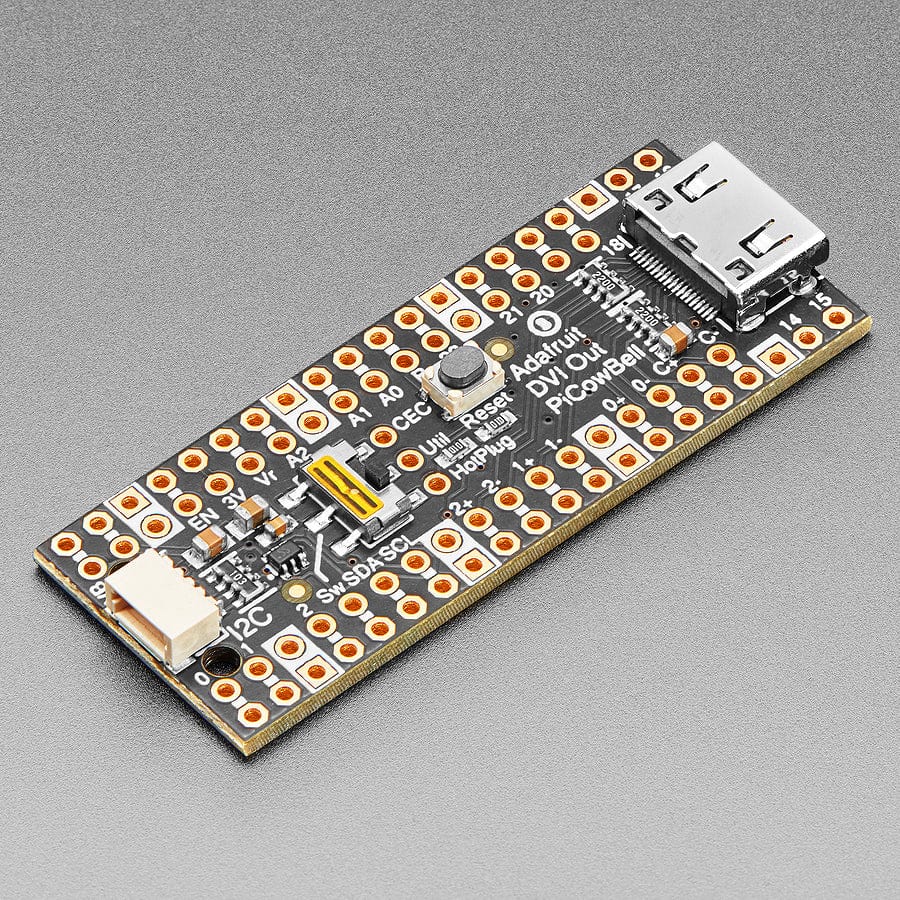
Ding dong! Hear that? It's the PiCowbell ringing, letting you know that the new Adafruit PiCowbell DVI Output for Pico is in stock and ready to display images and graphics from a microcontroller directly to an HDMI monitor or television! Note it doesn't do audio, just graphics.
The PiCowbell DVI is the same size and shape as a Pico and is intended to socket underneath to make your next video output project super easy. Mini HDMI connector for use with standard HDMI cables? Yes! STEMMA QT / Qwiic connector for fast I2C? Indeed. Reset button & extra switch for restarting code or changing configuration? Bien sur.
Features
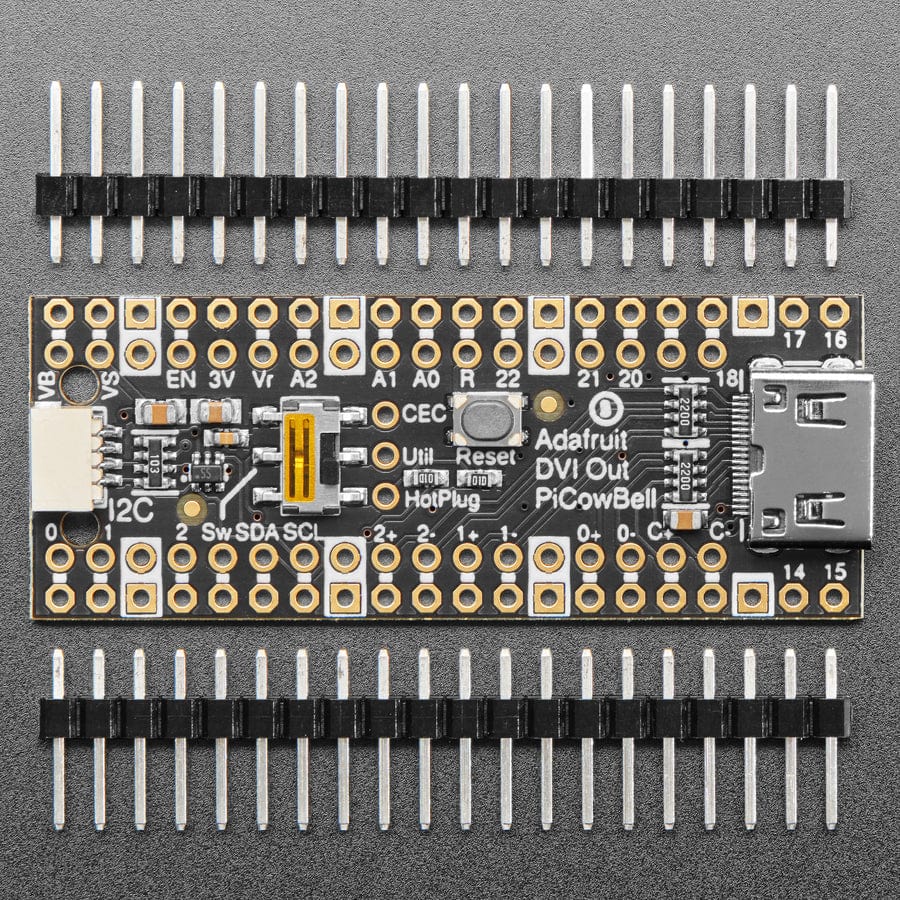
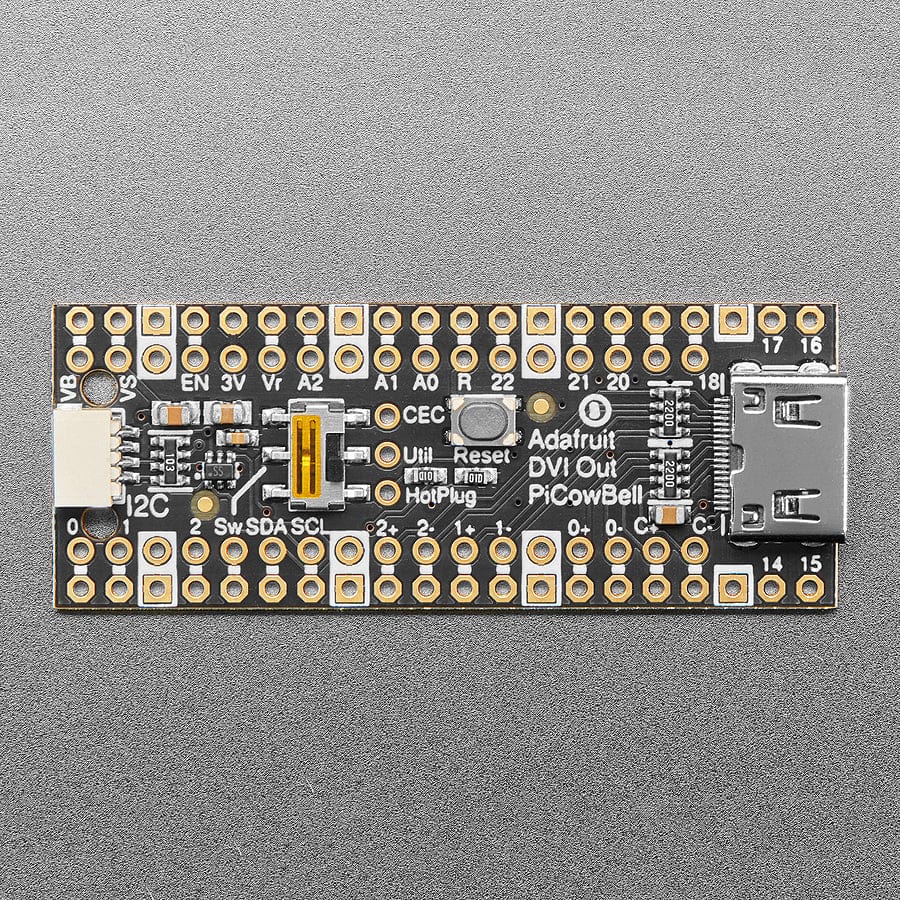
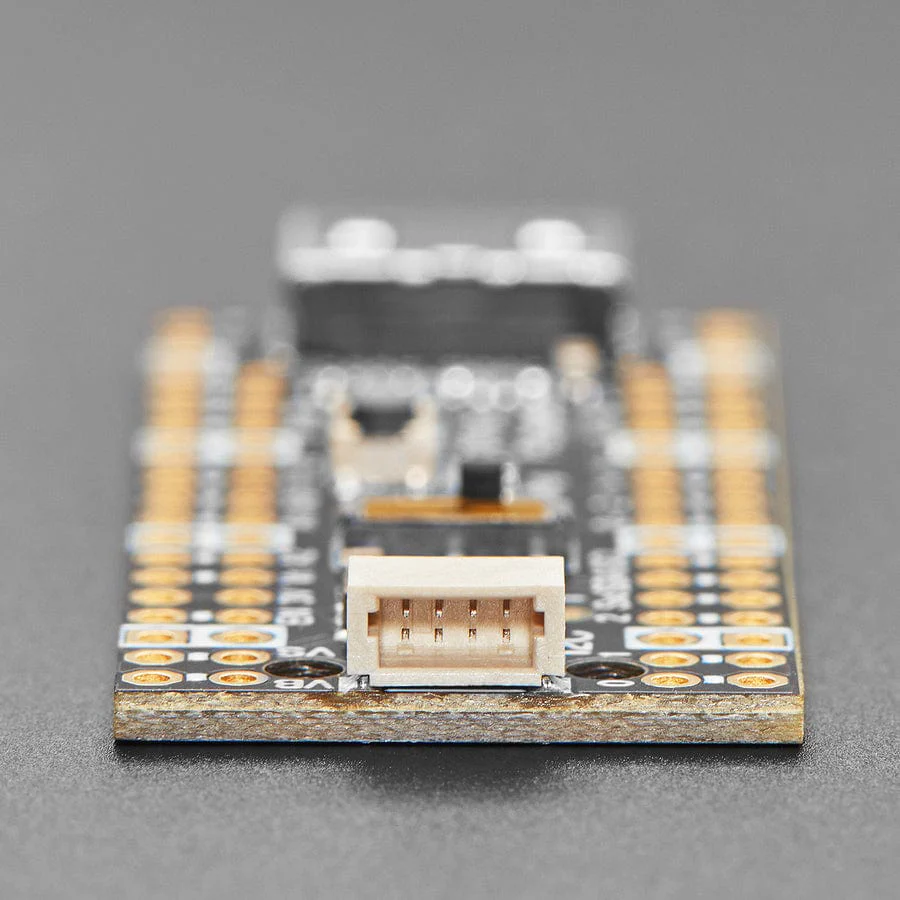
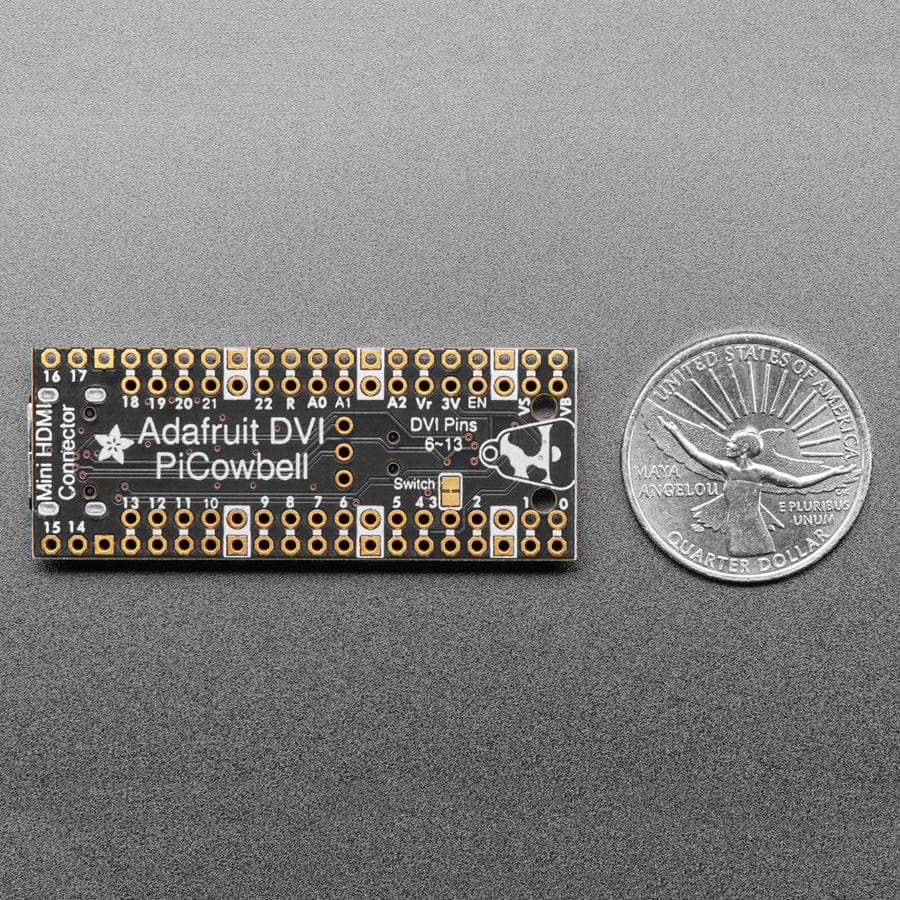
- Right angle JST SH connector for I2C / Stemma QT / Qwiic connection. Provides 3V, GND, IO4 (SDA), and IO5 (SCL). Also connected to the HDMI sink (monitor) with level shifting, so the EDID can be read.
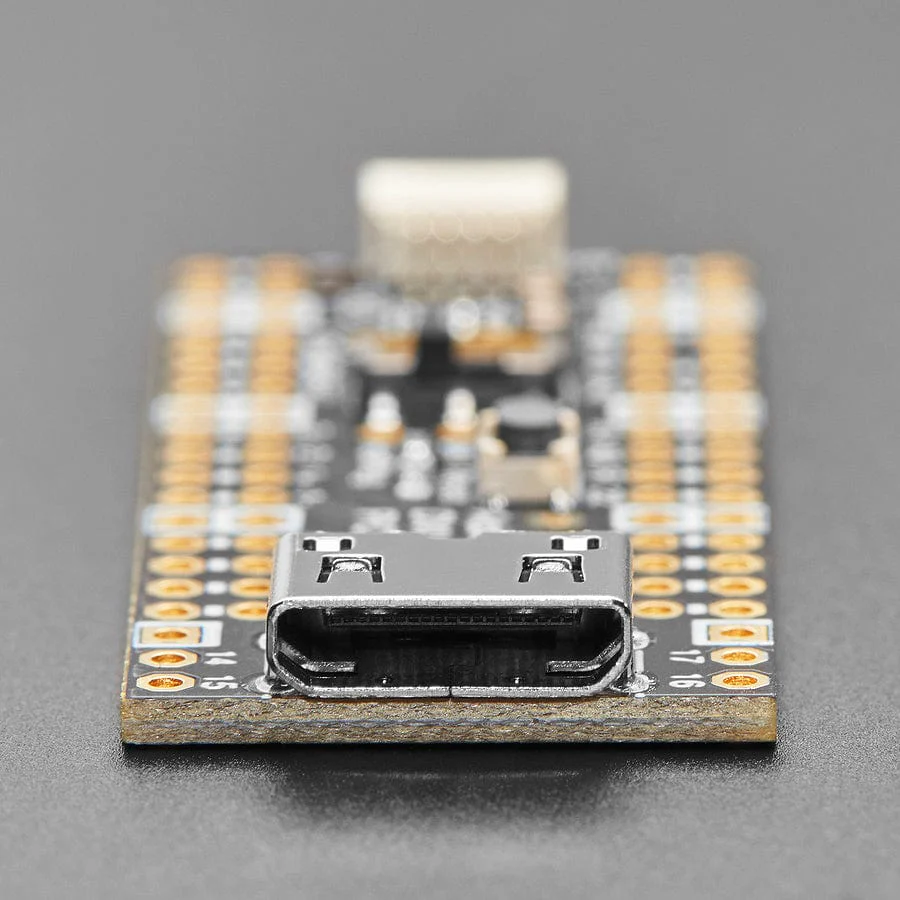
- Mini HDMI connector for DVI output to any HDMI display or monitor.
- GPIO6: D2+
- GPIO7: D2-
- GPIO8: D1+
- GPIO9: D1-GPIO10: D0+
- GPIO11: D0-
- GPIO12: Clock +
- GPIO13: Clock -
- Pin breakout for HDMI extras: Utility, CEC, and HotPlug pins
- Reset button - Press to restart your program
- Slide switch - On GPIO #3 for whatever purpose you wish.
- Many pads on the 'Bell has a duplicate hole pad next to it for solder-jumpering
- The ground pads have white silkscreen rectangles to easily identify
- Gold-plated pads for easy soldering
In Arduino, which is what we recommend, we use our fork of PicoDVI to create an internal framebuffer of 320x240 or 400x240 16-bit pixels that is then continuously blitted out as pixel-doubled 640x480 or 800x480 digital video. Whatever you 'draw' to the internal memory framebuffer appears instantly on the digital display in crisp colour. Since the library is a subclass of AdafruitGFX, it'll be familiar to folks who have used our TFT or OLED displays before.
There's also DVI output support in CircuitPython as of 8.1.0b2 - but note that it uses a lot of memory so in particular if you want to use PicoW with WiFi support, you'll likely only be able to get away with a monochrome display.
Note that the DVI video generation uses one full core, both PIOs and 150K (320x240) or 190K (400x240) of SRAM. It's kinda maxed out so be aware of the remaining resource limitations.
We also connected the HDMI-connectors I2C pins to the SDA/SCL of the Pico (through a safe level shifter) so you can read the EDID EEPROM of displays, and have broken out the CEC and Utility pads. The Hot Plug Detect pin is also available. Read this pin to know when a display has been connected!
Each order comes with an assembled PCB and header. You will need to solder in the header yourself, but it's a quick task.
Please Note! There are a lot of possible configurations, and we stock various headers depending on how you want to solder and attach them. Especially if you want the Pico on top so that the BOOTSEL button and LED are accessible.
- Use the Pico Stacking Headers if you want to be able to plug into a breadboard or other accessory with sockets.
- Use the Pico Socket Headers if you want to plug directly in and have a nice solid connection that doesn't have any poking-out bits.
- Use the Short Socket Headers for a very slim but pluggable design; note that you'll want to trim down the Pico's headers or use the short plug headers on the Pico to have a skinny sandwich.
- Solder the PCB directly to the Pico headers - of course, this is very compact and inexpensive, but you won't be able to remove the PiCowbell.
Specifications
- Product Dimensions: 52.5mm x 20.2mm x 4.9mm
- Product Weight: 4.3g
Original: $6.30
-65%$6.30
$2.20Product Information
Product Information
Shipping & Returns
Shipping & Returns
Description
Ding dong! Hear that? It's the PiCowbell ringing, letting you know that the new Adafruit PiCowbell DVI Output for Pico is in stock and ready to display images and graphics from a microcontroller directly to an HDMI monitor or television! Note it doesn't do audio, just graphics.
The PiCowbell DVI is the same size and shape as a Pico and is intended to socket underneath to make your next video output project super easy. Mini HDMI connector for use with standard HDMI cables? Yes! STEMMA QT / Qwiic connector for fast I2C? Indeed. Reset button & extra switch for restarting code or changing configuration? Bien sur.
Features
- Right angle JST SH connector for I2C / Stemma QT / Qwiic connection. Provides 3V, GND, IO4 (SDA), and IO5 (SCL). Also connected to the HDMI sink (monitor) with level shifting, so the EDID can be read.
- Mini HDMI connector for DVI output to any HDMI display or monitor.
- GPIO6: D2+
- GPIO7: D2-
- GPIO8: D1+
- GPIO9: D1-GPIO10: D0+
- GPIO11: D0-
- GPIO12: Clock +
- GPIO13: Clock -
- Pin breakout for HDMI extras: Utility, CEC, and HotPlug pins
- Reset button - Press to restart your program
- Slide switch - On GPIO #3 for whatever purpose you wish.
- Many pads on the 'Bell has a duplicate hole pad next to it for solder-jumpering
- The ground pads have white silkscreen rectangles to easily identify
- Gold-plated pads for easy soldering
In Arduino, which is what we recommend, we use our fork of PicoDVI to create an internal framebuffer of 320x240 or 400x240 16-bit pixels that is then continuously blitted out as pixel-doubled 640x480 or 800x480 digital video. Whatever you 'draw' to the internal memory framebuffer appears instantly on the digital display in crisp colour. Since the library is a subclass of AdafruitGFX, it'll be familiar to folks who have used our TFT or OLED displays before.
There's also DVI output support in CircuitPython as of 8.1.0b2 - but note that it uses a lot of memory so in particular if you want to use PicoW with WiFi support, you'll likely only be able to get away with a monochrome display.
Note that the DVI video generation uses one full core, both PIOs and 150K (320x240) or 190K (400x240) of SRAM. It's kinda maxed out so be aware of the remaining resource limitations.
We also connected the HDMI-connectors I2C pins to the SDA/SCL of the Pico (through a safe level shifter) so you can read the EDID EEPROM of displays, and have broken out the CEC and Utility pads. The Hot Plug Detect pin is also available. Read this pin to know when a display has been connected!
Each order comes with an assembled PCB and header. You will need to solder in the header yourself, but it's a quick task.
Please Note! There are a lot of possible configurations, and we stock various headers depending on how you want to solder and attach them. Especially if you want the Pico on top so that the BOOTSEL button and LED are accessible.
- Use the Pico Stacking Headers if you want to be able to plug into a breadboard or other accessory with sockets.
- Use the Pico Socket Headers if you want to plug directly in and have a nice solid connection that doesn't have any poking-out bits.
- Use the Short Socket Headers for a very slim but pluggable design; note that you'll want to trim down the Pico's headers or use the short plug headers on the Pico to have a skinny sandwich.
- Solder the PCB directly to the Pico headers - of course, this is very compact and inexpensive, but you won't be able to remove the PiCowbell.
Specifications
- Product Dimensions: 52.5mm x 20.2mm x 4.9mm
- Product Weight: 4.3g